How to Create Hollywood Blockbuster Visuals with ChatGPT and Midjourney
Have you ever watched a movie trailer and thought, “I have a better idea than that”? We all have that cinematic imagination playing in our heads—epic space battles, gritty noir detective stories, or fantasy worlds that defy physics. But for most of us, those dreams stay locked in our skulls because, well, Hollywood budgets are a bit out of reach.
Or are they?
Welcome to the era of AI filmmaking. You don’t need a camera crew, a lighting rig, or a studio backlot. All you need is a vision and the right AI tools. In this guide, I’m going to show you how to combine the brainpower of ChatGPT with the artistic muscle of Midjourney to create Hollywood-quality movie posters and concept art that look like they belong on the silver screen.
We are going to build a visual for a fictional sci-fi blockbuster called “Neon Horizon”.

Preparation: Your Digital Toolkit
Before we jump into the director’s chair, let’s make sure we have our equipment ready. Unlike traditional filmmaking, our setup is entirely software-based.
Here is what you need to get started:
- ChatGPT (Plus or GPT-4 recommended): This will be our Screenwriter and Visual Consultant. We will use it to brainstorm the concept, write the script, and, crucially, engineer the detailed visual prompts needed for high-end art.
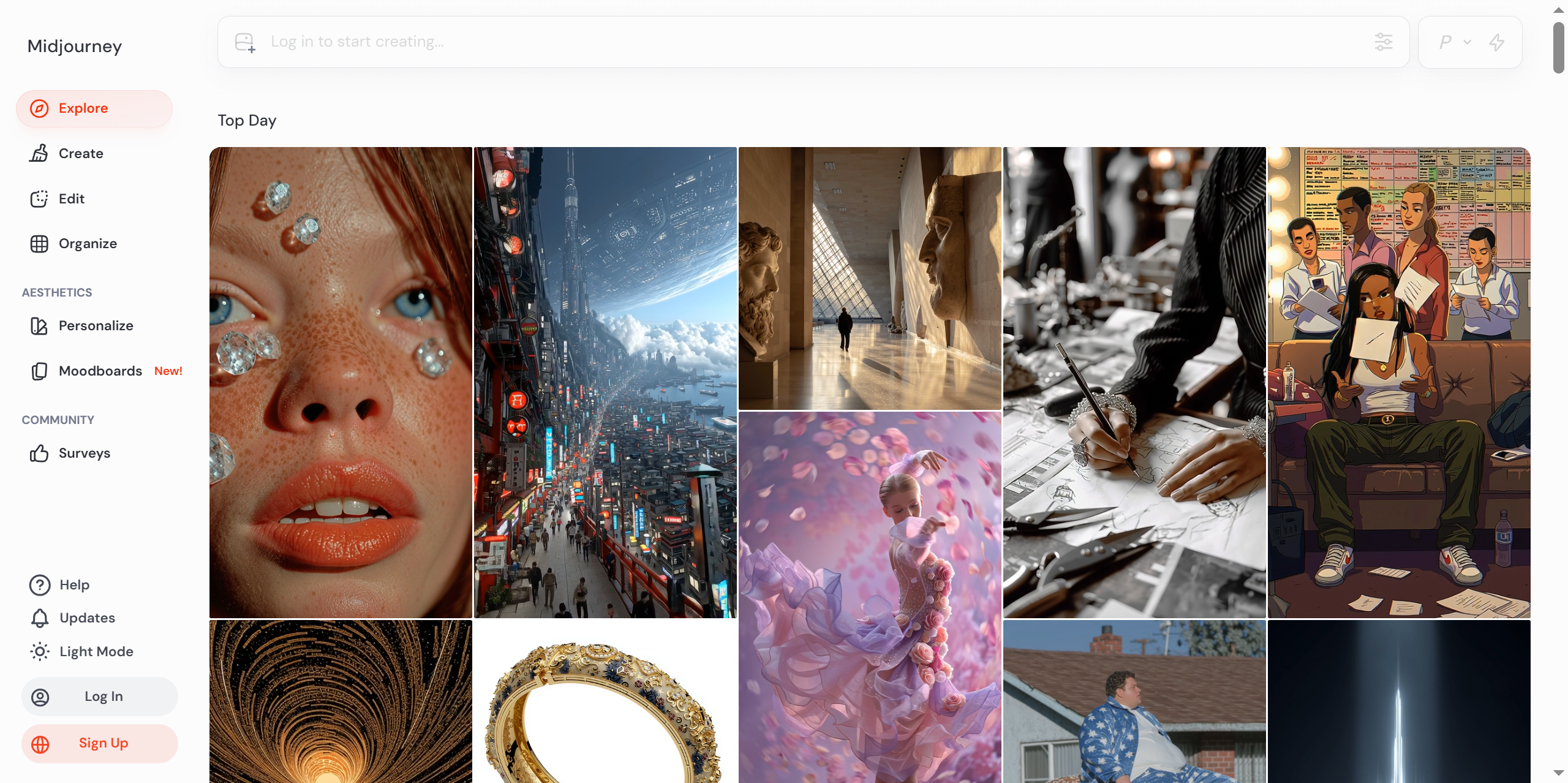
- Midjourney: This is our Cinematographer and VFX Artist. Accessible via Discord, this tool generates the actual images based on the instructions we feed it.
- Canva (Free version is fine): This will be our Editing Suite. We’ll use it to add typography, grading, and final touches to turn the raw image into a movie poster.
- A Creative Mind: That’s you!
Expert Tip: Ensure you are using the latest version of Midjourney (currently V6). It handles photorealism and text rendering significantly better than previous versions.
Step 1: The Concept and Prompt Engineering (ChatGPT)
Every great movie starts with a script. But for AI art, we need something more specific: a visual prompt. If you just tell Midjourney “a sci-fi city,” you might get a generic cartoon. We want Blade Runner, not a Saturday morning cartoon.
Open up ChatGPT and use the following prompt structure. We are asking ChatGPT to act as a professional Art Director.
The Prompt:
Act as a Hollywood Art Director. I am creating a movie poster for a sci-fi film called "Neon Horizon."
The scene is a futuristic cyberpunk city in the rain at night.
Please write a detailed Midjourney prompt for me.
Requirements:
- Subject: A lone detective with a cybernetic arm standing under a neon sign.
- Style: Cinematic, photorealistic, 8k resolution, volumetric lighting.
- Mood: Gritty, mysterious, high contrast.
- Camera: Low angle shot, depth of field.
- Do not include the title text in the image generation, just the scene.
My Take on This:
Why do we do this? Because ChatGPT is amazing at adjectives. It knows that “cinematic lighting” implies specific color palettes and shadows that might take us hours to figure out. By offloading the descriptive work to ChatGPT, we ensure we get the most “expensive” looking result possible.
ChatGPT will output a block of text. Copy it. It should look something like:
/imagine prompt: A lone detective with a polished chrome cybernetic arm standing under a flickering neon sign in a rainy cyberpunk city at night, cinematic shot, photorealistic, 8k, volumetric lighting, gritty atmosphere, high contrast, low angle shot, depth of field, bokeh --ar 2.35:1 --v 6.0
Step 2: Rendering the Scene (Midjourney)
Now, head over to your Discord server where Midjourney is installed. This is where the magic happens.
- Enter the Command: Paste the prompt you got from ChatGPT into the Discord chat.
- Adjust Parameters: Notice the end of the prompt? I added
--ar 2.35:1. This is the “Anamorphic Wide Screen” aspect ratio. It is the secret sauce that makes an image look like a movie frame rather than a smartphone photo. - Generate: Hit Enter.
Midjourney will generate four variations. Look at them closely.
My Take on This:
Sometimes, the AI gets the lighting wrong or the “cybernetic arm” looks weird. This is normal. Use the V1, V2, V3, V4 buttons to create variations of a specific image you like, or use the U (Upscale) button to pick the best one and render it in high resolution.
For our example, let’s say we picked U1. We now have a stunning, wide-aspect-ratio image of our detective.

Step 3: Post-Production and Typography (Canva)
A raw image is beautiful, but a movie poster tells a story. We need to add the title and the “billing block” (the list of actors, directors, and producers at the bottom).
- Open Canva: Create a design with “Custom Dimensions.” Set it to 2400 x 1020 (roughly a 2.35:1 ratio).
- Upload: Drag and drop your upscaled Midjourney image into Canva. It should fit perfectly.
- Add Title: Choose a bold, cinematic font (like ‘Bebas Neue’ or ‘Trajan Pro’). Type “NEON HORIZON”. Make it huge. Place it at the bottom center or top center.
- Effects: Add a slight “Glow” effect to the text to mimic the neon lights in the image.
- Color Grading: Use Canva’s filters to punch up the contrast. Maybe add a “Cool Vintage” or “Cinematic” filter to unify the colors.
- Billing Block: At the very bottom, add tiny text listing a fake director and production house. This little detail adds a massive layer of professionalism.
My Take on This:
This step is about context. Without the title, it’s just cool art. With the title, it becomes a product. It sells the idea. Don’t skip the typography—it grounds the AI fantasy in reality.
Key Techniques & Pitfalls to Avoid
Creating AI art is easy, but creating Hollywood art requires finesse. Here are my hard-earned tips to keep your work looking top-tier.
1. The Aspect Ratio is Key
Never use the default square (1:1) for movie posters. Always use
--ar 16:9 or --ar 2.35:1. The wider frame instantly subconsciously signals “movie” to the viewer.2. Avoid “Over-Prompting”
Don’t stuff your prompt with every adjective you can think of.
- Bad: “A man, blue eyes, red hat, standing, looking left, clouds, sun, grass, detailed, 8k, masterpiece, award-winning…”
- Good: Focus on the lighting and the camera. “Cinematic lighting, shot on 35mm lens.” The AI knows what a man looks like; tell it how to photograph the man.
3. The “Plastic Skin” Issue
Midjourney sometimes makes skin look too smooth or plastic.
- Fix: Add keywords like
skin texture,pores,imperfectionsto your prompt. Realism requires flaws.
4. Text Handling
While Midjourney V6 is getting better at text, it still struggles with long sentences.
- Fix: Generate the image without the title in Midjourney. Always add your text in Canva or Photoshop. It gives you control over font and placement.
Results & Next Steps
If you followed the steps, you are now staring at a movie poster that looks like it cost millions to produce. But this is just the beginning.
Where to go from here?
- Storyboarding: Use ChatGPT to write a 5-scene script, then generate a keyframe image for each scene using this workflow. You now have a visual storyboard for your movie!
- Animation: Take your static images and run them through an AI video tool like Runway Gen-2 or Pika Labs to add camera movement (slow zoom in, pan left). This brings your poster to life.
Conclusion & Interaction
You hold the power of a studio in your laptop. By combining ChatGPT’s narrative logic with Midjourney’s visual prowess, you can bypass years of technical training and go straight to creating.
I want to see what you create! What is your dream movie genre? A gritty 1940s noir, or perhaps a high-fantasy dragon epic? Drop a comment below and let me know what kind of blockbuster you would cook up with these tools.
Further Reading
If you enjoyed this guide, you might like these other tutorials on AI creativity:
TechnologyTutorials# AI Art Tutorial# AI Filmmaking# Canva Design# ChatGPT for design# Cyberpunk Art# Hollywood Movie Poster# Midjourney Guide# Visual Effects
© Copyright notes
The copyright of the article belongs to the author, please do not reprint without permission.
Related posts

No comments...